Canva Moodboard Maker: Pros, Cons & the Best Alternatives in 2026
Canva can make a mood board — but it wasn't built for it. Here's an honest look at where it works, where it doesn't, and the six best alternatives, with pricing.
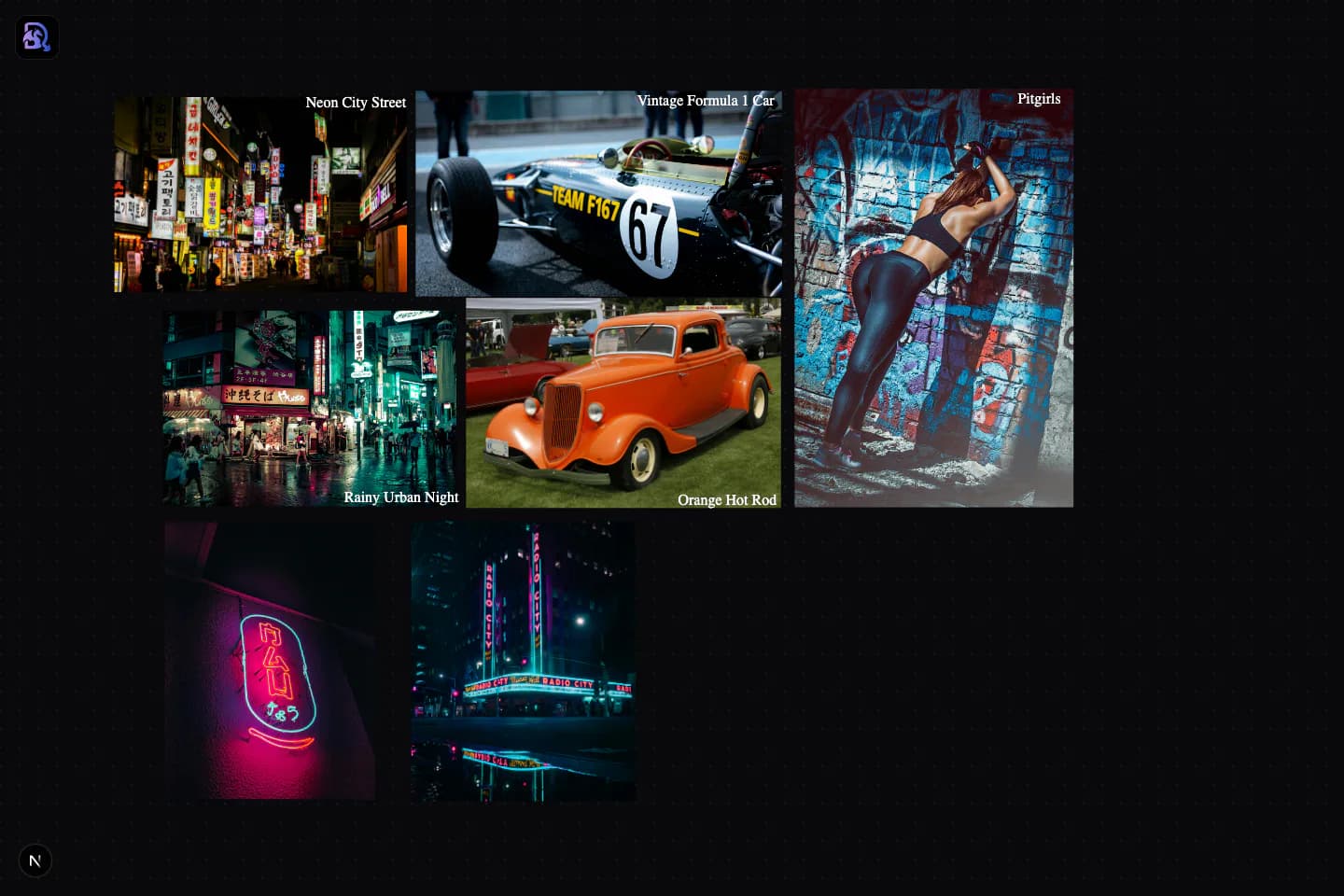
Draggen's canvas: freeform arrangement like a real mood board, with AI generation driven by your layout.
Canva as a Moodboard Maker: Pros and Cons
Canva is a genuinely good design tool — the question is whether it's good at this job.
- Fast, familiar editor with thousands of mood board templates
- Magic Media generates AI images from text prompts
- Free tier is genuinely usable; Pro covers all your design work
- Easy sharing and brand kits for teams
- Fixed-size, template-first canvas fights freeform arrangement
- AI is prompt-only — your board layout never informs generation
- Built for social graphics; mood boards are a side use-case
- Boards tend to look like the template they started from
Why Designers Look for a Canva Alternative for Moodboards
Canva wasn't built for moodboarding. It was built for social media graphics. The distinction matters more than you might think.
Canvas built for templates, not spatial freedom
Canva's strength is its template library. But moodboards are inherently freeform — you're arranging things spatially to communicate a feeling. Canva's fixed-size canvas and grid-snapping work against that.
AI tools bolted on, not built in
Canva added AI image generation after the fact. It's a separate feature, not integrated into the moodboard workflow. There's no concept of your arrangement informing the generation.
No spatial context for generation
When you generate in Canva, you type a prompt. The arrangement of your references on the canvas has zero influence on the output. Draggen's spatial prompting solves exactly this problem.
Slow workflow for asset production
The typical flow in Canva: arrange references → export mood → open Midjourney/DALL-E → generate → import back. In Draggen, the whole workflow lives in one canvas.
The 6 Best Canva Alternatives for Moodboards
Ranked by how well they serve the moodboarding and AI generation workflow specifically — with honest pros, cons, and pricing.
DraggenOur Pick
Best for AI-powered moodboards with spatial generation
- Spatial prompting: your layout becomes the AI brief
- Generate assets directly from your moodboard arrangement
- Built specifically for creative visual direction
- Free tier with generous credits
- Color palette extraction, font pairing, and aesthetic tools built in
- Newer product — smaller template library than Canva
- Focused on moodboarding, not general graphic design
Milanote
Best for visual project planning and team collaboration
- Beautiful drag-and-drop canvas
- Good for team collaboration and sharing boards
- Easy web image capture with browser extension
- No AI generation — purely a curation tool
- Free tier capped at 100 items
- Not purpose-built for asset production
Midjourney
Best for raw AI image quality (bring your own canvas)
- Consistently strong image quality and aesthetic range
- Style references let you steer output with images
- Huge community sharing prompts and techniques
- No canvas — it generates images, it doesn't make boards
- Prompt-driven workflow has a real learning curve
- You still need a second tool to arrange and present the output
Miro
Best for teams who need general whiteboard + moodboarding
- Powerful collaboration features
- Infinite canvas with lots of template types
- Widely adopted in enterprise and agency settings
- Not built for moodboarding — a generic whiteboard
- No AI image generation for creative direction
- Can feel heavy and over-engineered for simple boards
Adobe Express
Best for designers already deep in the Adobe ecosystem
- Access to Adobe Fonts and Stock
- Firefly AI integration for image generation
- Familiar Adobe interface
- Designed for social graphics, not moodboards
- Template-first workflow doesn't suit freeform boards
- Expensive if you're not already on Creative Cloud
Best for pure inspiration discovery (not creation)
- Largest library of visual inspiration on the internet
- Excellent for discovering new aesthetics and trends
- Free forever
- Purely a discovery tool — no canvas, no generation
- You can't create assets from a Pinterest board
- Not a production tool in any sense
Canva Moodboard Maker: FAQ
Is Canva good for making mood boards?+
Yes, within limits. Canva's mood board templates are quick to fill and fine for one-off boards, and the free tier is genuinely usable. The trade-offs: the canvas is fixed-size and template-first, so freeform spatial arrangement fights the grid, and its AI (Magic Media) is prompt-only — your board layout never informs what gets generated. If mood boards are occasional, Canva is fine; if they're your actual deliverable, a purpose-built tool works better.
What are the best AI mood board tools like Milanote, Canva and Midjourney?+
Those three each cover one piece: Milanote is the curation canvas (no AI), Canva adds prompt-based generation to a template editor, and Midjourney is pure generation with no canvas. Draggen combines the pieces — a freeform mood board canvas where the arrangement itself drives AI generation, so you don't need to chain multiple tools together.
Can Canva generate mood board images with AI?+
Yes — Canva's Magic Media can generate images from text prompts, and you can place the results on a mood board template. What it can't do is use the board itself as context: generation is driven entirely by the prompt you type, not by the references you've arranged. That's the main reason designers who moodboard seriously look at alternatives like Draggen, where the layout is the prompt.
What is the best free Canva alternative for mood boards?+
Draggen's free tier gives you unlimited boards stored in your browser plus a one-time allowance of AI generation credits — no card required. Milanote is free up to 100 items (fine for one board, tight for more), and Pinterest is entirely free but is a discovery feed rather than a real board tool.
Should I switch from Canva if I already pay for Canva Pro?+
If mood boards are a small part of broader design work — social posts, decks, print — Canva Pro is still the sensible home for all of it. Switching (or adding a dedicated tool) pays off when creative direction is the job itself: client mood boards, art direction, game or interior concepts, where a freeform canvas and layout-aware AI generation save real time every week.
The moodboard tool that generates with you
Stop switching between your moodboard and your AI generator. Draggen puts both in one canvas — and your arrangement drives the output.
Start Free — No Credit Card